.NET MAUI & Xamarin Forms Getting Started
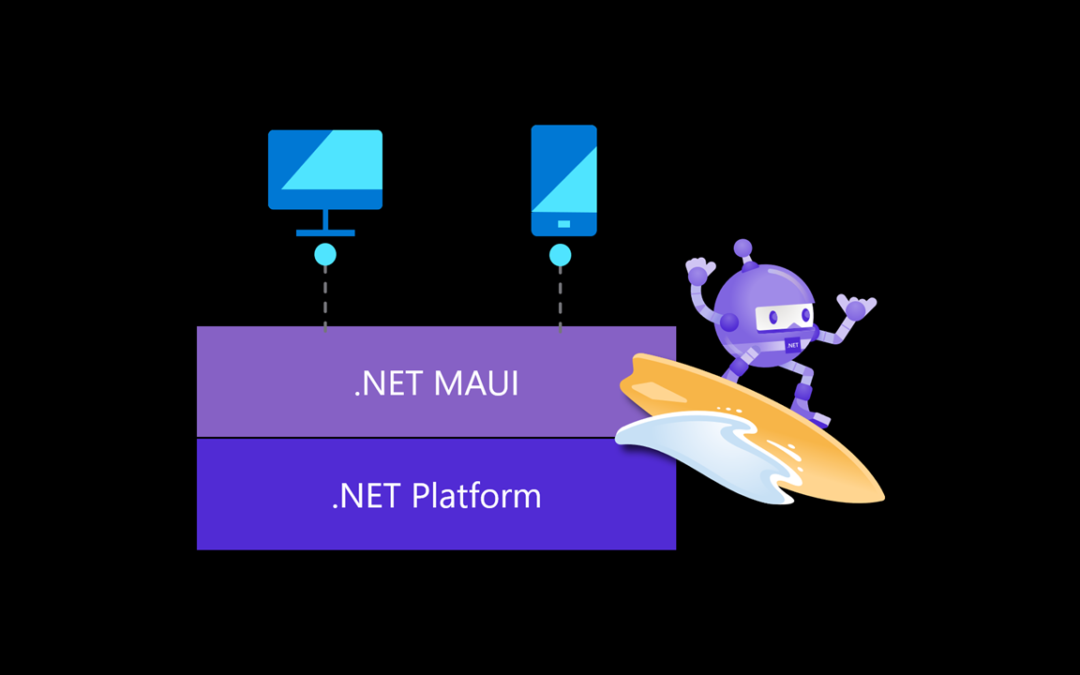
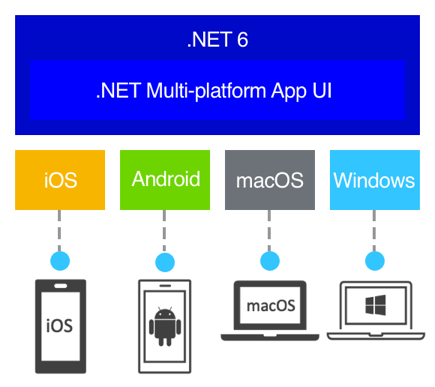
.NET Multi-Platform App UI, also known as .NET MAUI, is an open-source cross-platform framework for creating native apps. The main idea here is to enable implementation of UI Layout and all the app logic in a single code-base.
Key Benefits:
- Write cross-platform apps in XAML and C#, from a single shared code-base in Visual Studio.
- Share UI layout and design across platforms.
- Share code, tests, and business logic across platforms.
How it works
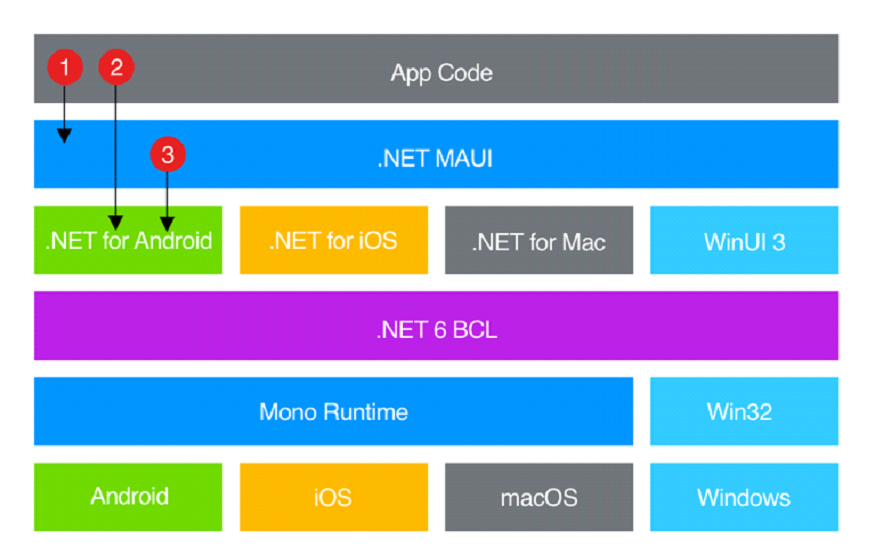
.NET MAUI provides singular APIs for developers, which access native platform APIs. It can also be imagined as a C# wrapper for multiple native platform APIs, providing a write-once, run-anywhere experience.
Main Idea:
- Write code that interacts with .NET MAUI API.
- App code can directly access .NET wrapped versions of the native APIs.
- .NET MAUI can directly consume the native platform APIs.
Android:
.NET MAUI compile from C# into intermediate language, which is then Just-in-time (JIT) compiled to native assembly during app launch.
iOS:
iOS builds compile ahead-of-time (AOT) from C# into native ARM assembly code.
Windows:
.NET MAUI uses WinUI3 library internally to create apps that target Windows.
macOS:
Built using Mac Catalyst.
Supported Platforms
.NET MAUI platform requirements:
- Android 5.0 (API 21) or higher.
- iOS 10 or higher.
- macOS 10.13 or higher, using Mac Catalyst.
- Windows 11 and Windows 10 version 1809 or higher, using WinUI3
.NET MAUI Blazor apps have the following additional platform requirements:
- Android 7.0 (API 24) or higher is required
- iOS 14 or higher is required.
- macOS 11 or higher, using Mac Catalyst.
Environment Setup
.NET MAUI is the evolution of Xamarin Forms and is embedded directly into .NET 6 framework. As such, the development environment setup has gotten simpler.
At the time of writing this, one must install Visual Studio 2022 Preview to access .NET MAUI. MAUI is targeted for release in June 2022.
Setup Steps:
- Download Visual Studio 2022.
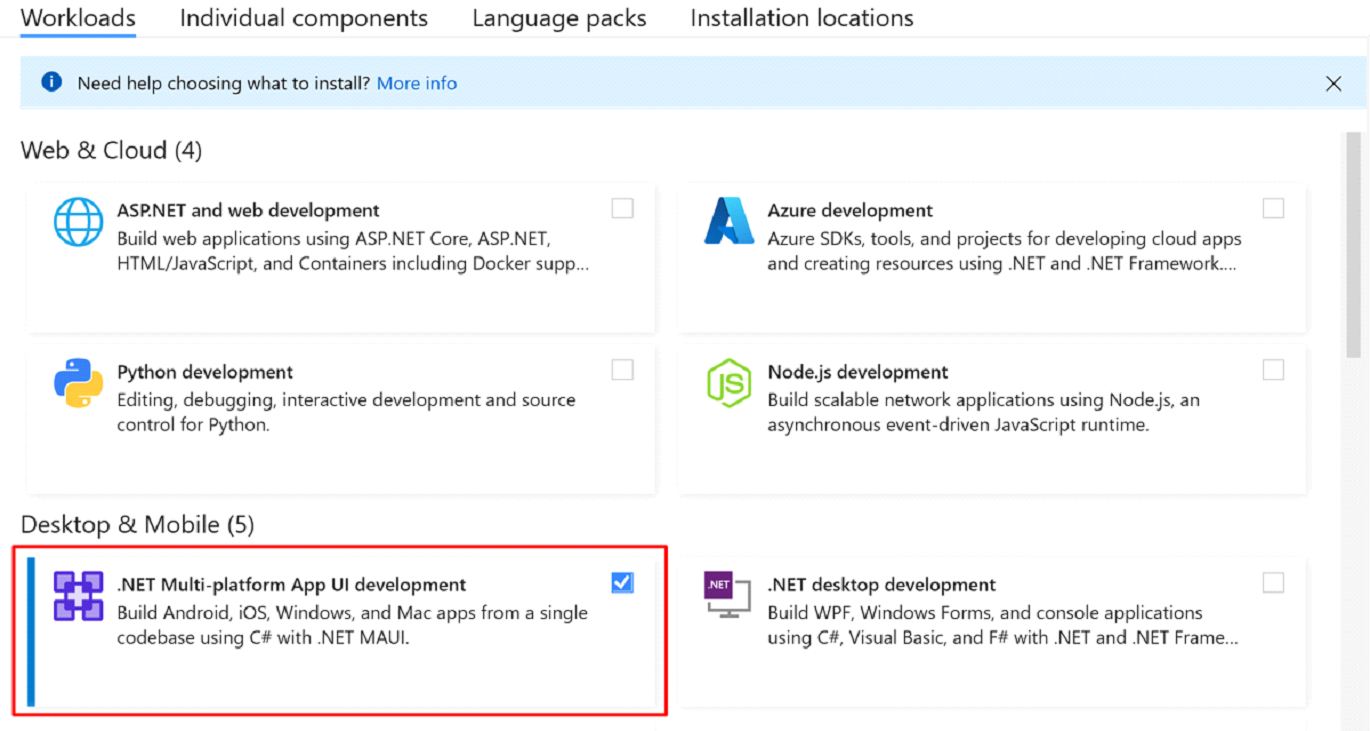
- Modify the installation to include .NET MAUI development workload.
Get started on learning:
The best place to get started on your learning journey with .NET MAUI is microsoft learn:
https://docs.microsoft.com/en-us/learn/paths/build-apps-with-dotnet-maui/?WT.mc_id=friends-0000-jamont
Useful Links:
.NET MAUI Supported Platforms
https://docs.microsoft.com/en-us/dotnet/maui/supported-platforms
.NET MAUI – Getting Started Tutorials:
https://www.youtube.com/watch?v=DuNLR_NJv8U&ab_channel=JamesMontemagno
Xamarin.Forms – Getting Started Tutorials:
https://www.youtube.com/playlist?list=PLwOF5UVsZWUiHY1CkRVjYJ6dm0iCvAlfw
Installing Xamarin.Forms:
https://docs.microsoft.com/en-us/xamarin/get-started/installation/?pivots=windows
Enabling Hyper-V (Improves Emulator Efficiency):
https://docs.microsoft.com/en-us/virtualization/hyper-v-on-windows/quick-start/enable-hyper-v
Additional Demo’s and Tutorials:
https://www.youtube.com/c/JamesMontemagno/videos
https://www.youtube.com/c/XamarinDevelopers/videos
https://www.youtube.com/c/dotNET/videos
MAUI Documents:
https://docs.microsoft.com/en-us/dotnet/maui/
https://devblogs.microsoft.com/search?query=maui&blog=all&sortby=date
https://docs.microsoft.com/en-us/learn/paths/build-apps-with-dotnet-maui/?WT.mc_id=friends-0000-jamont
Xamarin to MAUI migration
https://docs.microsoft.com/en-us/dotnet/maui/get-started/migrate
C#10
https://docs.microsoft.com/en-us/dotnet/csharp/whats-new/csharp-10
.NET 6
https://devblogs.microsoft.com/dotnet/announcing-net-6/